How iAssistant makes research and document work more efficient in companies and government agencies
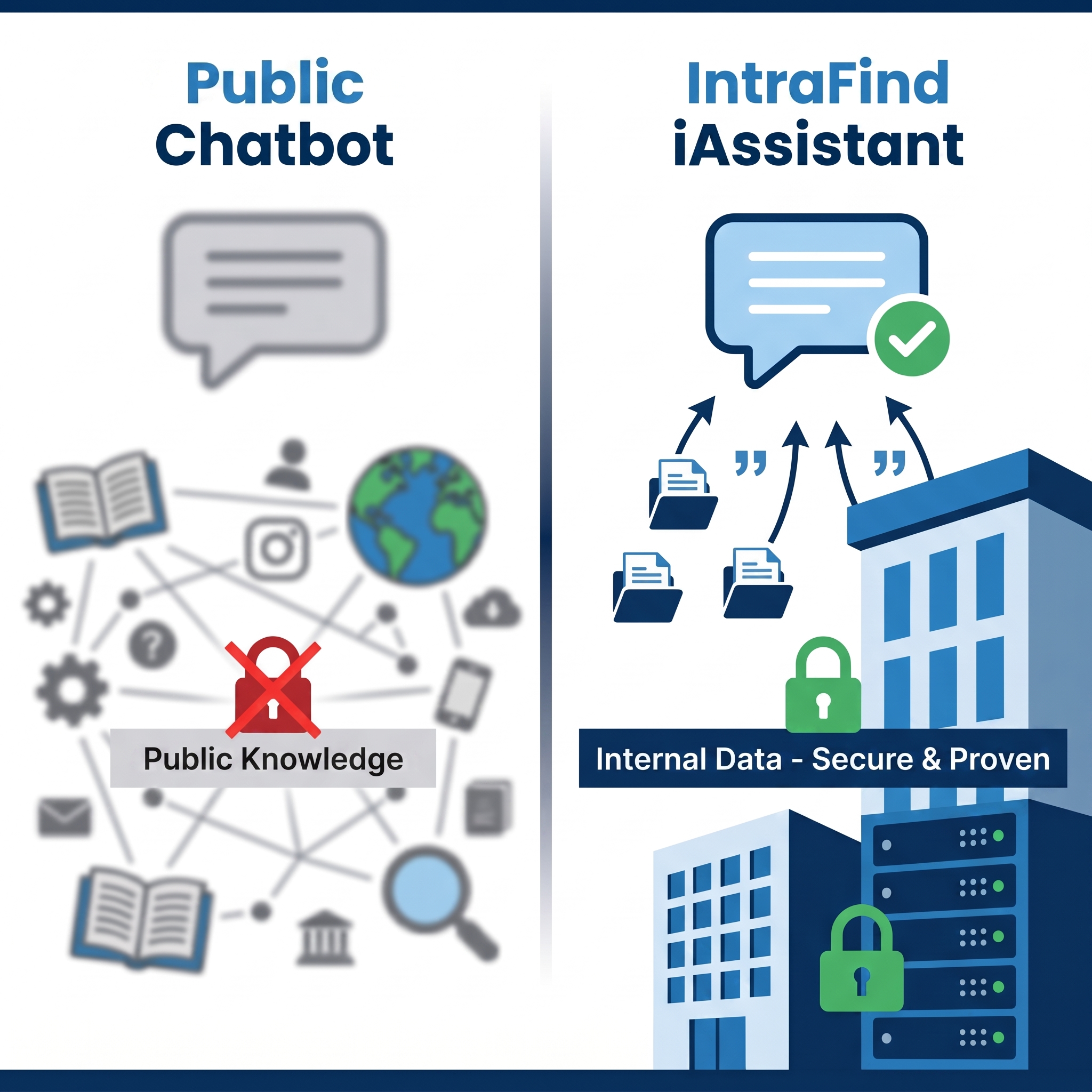
Anyone who works in a company or government agency is familiar with the problem: important information is scattered across numerous documents, systems, and repositories. The real challenge is that employees cannot find, organize, and process the knowledge they need quickly enough at the crucial moment. This is precisely the use case for an intelligent AI assistant. Unlike freely available AI tools, the iAssistant works with the data that is actually available within the organization and that the user is authorized to access. Answers are therefore not derived from freely available general knowledge, but from the relevant documents, passages, and sources within the user’s own work environment. This is made possible by Retrieval Augmented Generation, or RAG.
7 Key Features for reliable AI in everyday work
1. Answers with transparent sources instead of a black box
A key benefit of iAssistant is that it does not just provide answers but also shows the sources behind them. The sources used can be displayed for each answer; additionally, relevant quotes and passages are visible and can be explored further in the preview. This is particularly important for anyone who not only needs to obtain information quickly but also needs to verify and reuse it—such as in specialized departments, in support, in administration, or when handling sensitive processes.
For day-to-day work, this means: Employees receive not only an answer but also the basis for it—and can verify, substantiate, and reuse results more quickly.
2. Multi-step dialogs that retain context
Many questions cannot be resolved in a single step. That is why iAssistant supports multi-turn conversations and can suggest relevant documents for further reading as well as possible next steps. Follow-up questions build on the previous conversation without requiring users to repeatedly explain the entire context. This context is preserved in the workspace, including the source documents used. This allows conversations to be resumed, explored in greater depth, or taken in a new direction later on. A question already asked in the chat history can be edited to restart the conversation from that point.
3. The iAssistant Workspace: From quick chat to structured work
With the iAssistant Workspace, a one-off chat becomes a workspace for ongoing topics. There, you can conduct multi-level conversations, integrate documents, verify sources, and organize conversations over time. It thus offers a dedicated interface for conversations, in-depth interaction with search results, and thread management. A sidebar displays all active topics: threads—i.e., past chats—can be created, renamed, archived, and deleted. Topics do not have to be started from scratch each time; they can be continued in separate threads. This is useful for recurring research, ongoing projects, case management, onboarding, or longer coordination processes.
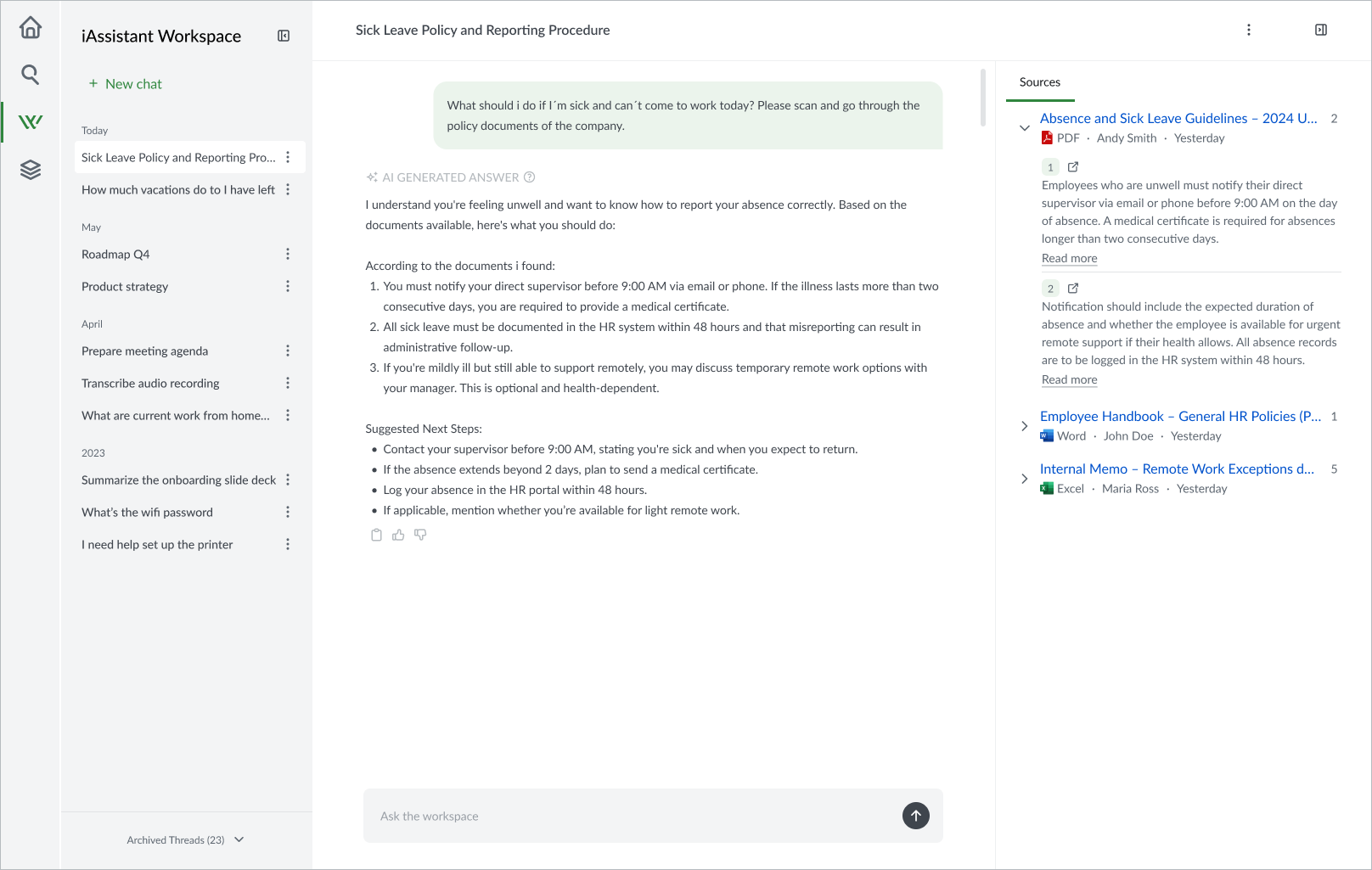
iAssistant Workspace for multi-step conversations with thread management
4. Ask a Document: Get precise answers from selected documents
Another practical feature is Ask a Document. This allows users to select one or more relevant documents and submit them to iAssistant along with a question. The answer is then based exclusively on these documents. This is particularly helpful when users do not want to search a broad database but instead wish to work very precisely with specific reports, files, guidelines, project documentation, or contract documents.
5. Profiles: The right assistant for the right context
The introduction of iAssistant profiles reflects the reality of how companies work. This is driven by the fact that different departments have specific information needs. A support team requires different data sources and response styles than the legal department, marketing, or research. Instead of a single standard configuration, administrators can provide role-based profiles that combine search profiles, LLM behavior rules, and descriptive metadata. Before starting a conversation, users can select the assistant that best fits their role or task. Profiles help users get started faster in the right knowledge context, rather than having to adapt every query to a generic environment first.
For organizations, this means: Teams get started faster in the appropriate knowledge context and receive answers that better align with their role, task, and data set.
6. Summarize, compare, structure
A large part of modern knowledge work consists of condensing and processing information. That’s why iAssistant supports this as well: It can summarize extensive internal documents, even in languages other than the original document. Content can also be presented in tabular form and comparisons created, for example, to highlight changes in statistics over three consecutive years.
Long reports are quickly turned into a management summary, multiple documents into a structured comparison, and a voluminous file into a concise guide for the next step. This is precisely where the practical value of generative AI in everyday work becomes evident. These document-based summaries are also available to other colleagues. This expands the function from individual assistance to a building block for collaborative knowledge sharing.
In day-to-day work, this means that information can be summarized, compared, and organized more quickly into a format that can be used immediately.
7. Guardrails as integrated safety mechanisms
The more generative AI is integrated into real-world work processes, the more important the question of reliability and safeguards becomes. This is where iAssistant’s integrated guardrails come in: technical safeguards that check inputs and responses before they are processed by the language model or shown to the user. This prevents manipulative instructions from misleading the AI. Examples include attempts to influence the AI through hidden instructions in documents or inputs (prompt injection) or to deliberately circumvent built-in rules (jailbreaks).
Guardrails operate in the background and are therefore not a visible feature for users, but they are all the more important for businesses and government agencies. A solution can only be used productively in sensitive environments if it is robustly secured
Conclusion
The IntraFind iAssistant demonstrates what matters most when it comes to generative AI in everyday work: fact-based answers, traceable sources, and a clear connection to the user’s own data. Users can find information faster, evaluate it more effectively, and integrate it into their work context. With guardrails, access controls, and the option for secure on-premises deployment, the iAssistant is also suitable for sensitive environments in businesses and government agencies.