

iFinder: the Most Important Features
What our Enterprise Search Offers
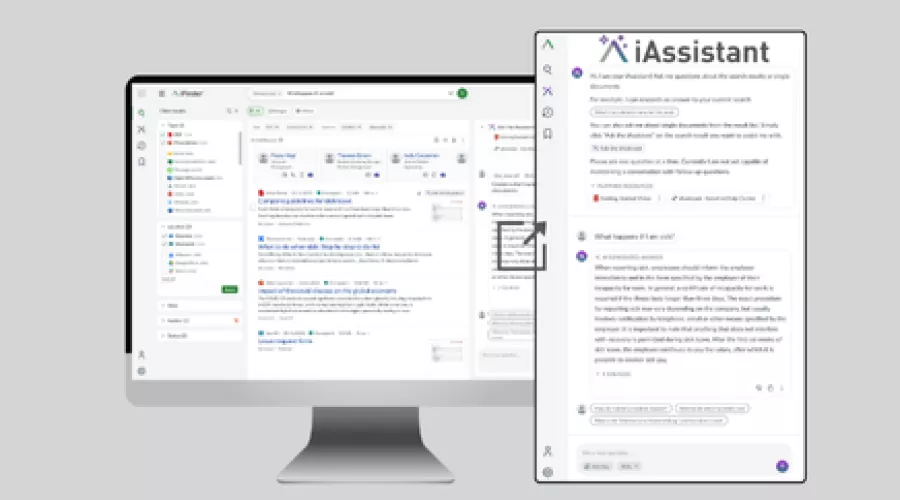
Best Results and Optimal User Experience Through the Synergy of Search and AI Assistant
- Excellent hit relevance
Results that exactly match the search query and the user - powered by NLP, AI and advanced linguistics - Semantic search
Identify context beyond data silo limits - Easy aggregation of data
In the hit list or using a knowledge panel - Deep analysis of found documents
Much more than a full-text search. Example Use Case: The patient record - Generativ AI with iAssistant
Integrated AI assistant for question-answering
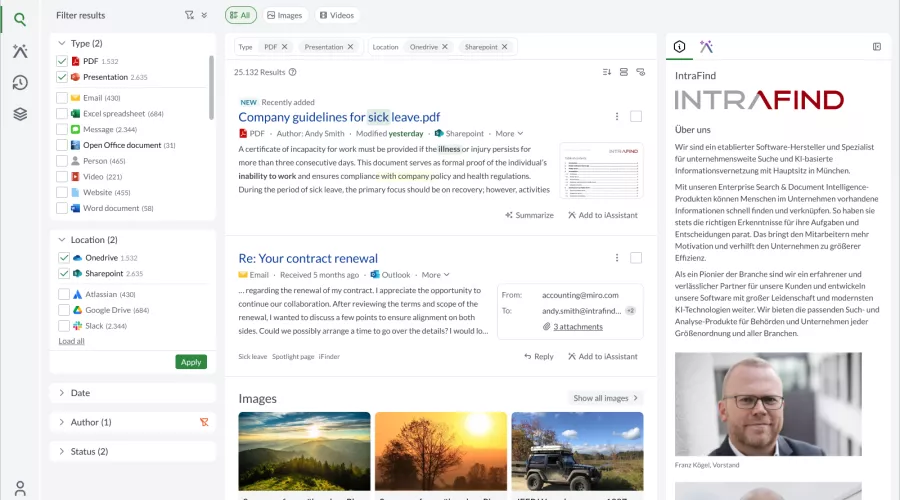
Features that Delight Users
- Intelligent autocomplete
Including for multi-word phrases, with secure search functionality and typo correction - Convenient preview options
Tailored to different file formats for quick information access - Results list for images and videos
Preview of video content directly on the search results page - Knowledge panel
Presents key information at a glance - Ask a document
To interact with retrieved documents via iAssistant for detailed insight - Seamless integration with collaboration tools
Access search results and document chats directly in Microsoft Teams, Slack & more."
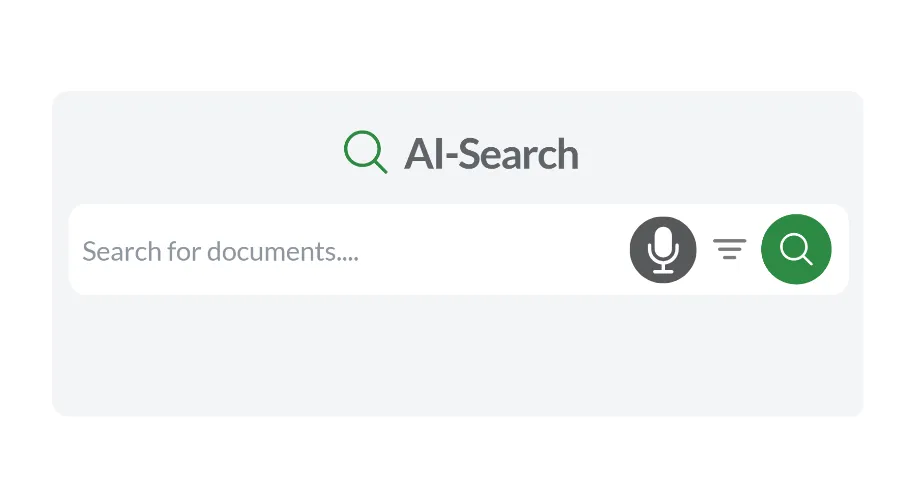
Speech-Enabled Semantic Search
Users can speak individual keywords or complete natural-language search queries. This makes the search easier to use, supports mobile use cases, and improves accessibility.

Security that’s Easy to Manage
- Secure search - only what users are allowed to see
The secure search only returns documents, filter options and suggestions for autocomplete for which the user is authorized - Flexible Rights and role concept
With iFinder, complex rights and role concepts can be mapped - Multi-tenancy - centralized management made easy
You can install and administer the solution centrally and serve any number of locations with individually tailored search solutions
iFinder — as Flexible as Your Needs
Choose from Over 80 Connectors
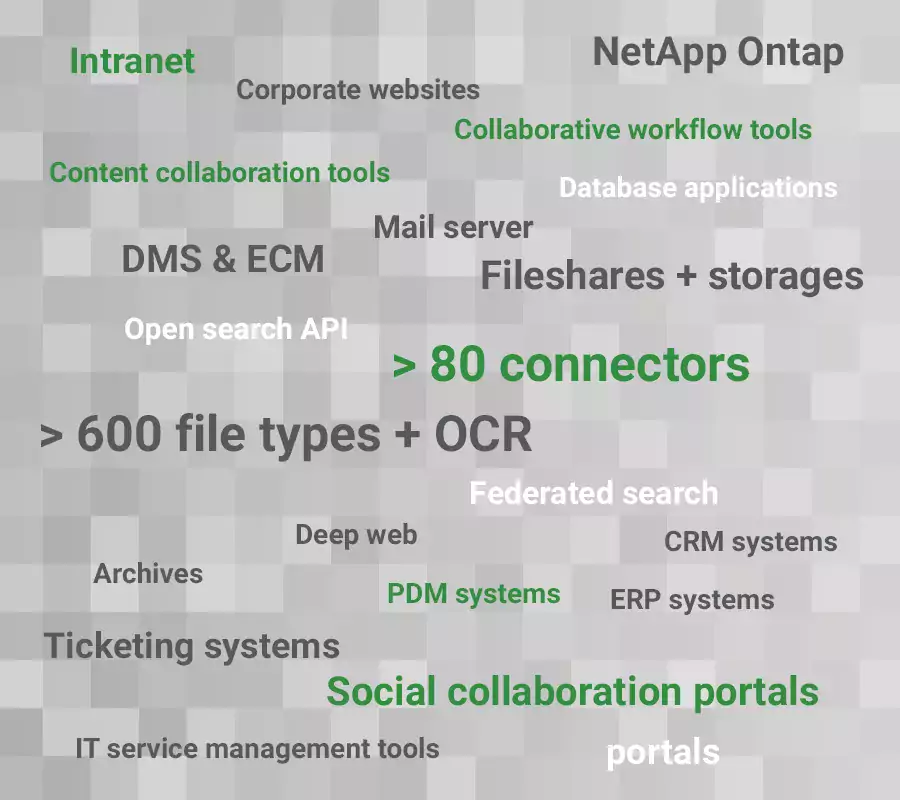
Your Benefit: Centralized Search
Using AI-powered methods, you can enrich documents with relevant metadata and classify them by topic — for example, with tags for personal data, retention periods, confidentiality levels, intellectual property, or export control regulations.
Content Enrichment

Intelligent Search, Precise Results: iFinder Feature Highlights

Semantic Search: Find what Users Mean
iFinder’s semantic search considers not only individual search terms, but also the meaning and context of a query. This enables employees to find relevant information even when documents use different wording.
At the same time, invoice numbers, file references, product codes, and other exact identifiers remain reliably searchable. To achieve this, iFinder combines semantic search with precise full-text search and powerful linguistic analysis.

Linguistics Makes the Difference
IntraFind's linguistic processing enhances search results, making them more comprehensive and precise. Terms are reduced to their base form (lemmatization) while compound terms are broken down into their individual meaningful parts (compound decomposition). For example, the plural form "policemen" is reduced to its base form "policeman". The word "policeman" is recognized as a compound and split into the single words "police" and "man". Users do not need to know the exact spelling of a term, as variants are included in the search results. Diacritical marks such as German umlauts are normalized, units can be standardized and converted, and all orthographical conventions are taken into account.

Customized Search Hits through Search Profiles
Administrators can create separate search profiles for specific user groups or even individual users with flexibility and ease (profiles for certain departments or employees at a site, for example). This approach allows them to restrict searches to certain data sources, document types, document languages, or site-related information, for example.
⭐ FAQ iFinder features
Yes. iFinder is built for large enterprise data landscapes, adapts to data growth, and scales across billions of documents.
Yes. iFinder supports multilingualism with appropriate linguistic processing. This makes the software suitable for international organizational structures with different language areas and individual access concepts.
Existing permissions (Access Control Lists - ACLs) from files, SharePoint, M365, Confluence, etc. are transferred, stored in the system, and taken into account during searches. This means that users only ever see the information they are authorized to see - during searches, autocomplete, and in the AI.
Yes. iFinder supports semantic search methods and modern ranking mechanisms. Search queries are interpreted in terms of content – not just based on words – so that synonyms, related terms, and contextually relevant documents are also found and prioritized according to relevance.
Yes. iFinder searches common formats such as PDF and Microsoft Office documents as well as other structured and unstructured content. Full texts and metadata are indexed. iFinder supports over 600 file formats in total.
Yes. iFinder uses linguistic and AI-based methods for automatic classification, clustering of thematically similar documents, and information extraction (e.g., of people, keywords, or technical terms). Content is analyzed and enriched with structured metadata.
Yes. Users can chat directly with the documents they find. Several relevant documents can also be selected from the hit list and bundled in so-called “smart collections.” There, a targeted chat based on precisely this set of documents is possible—even jointly within a team.
Yes. Direct chat with a large language model is possible via IntraFind's iHub. The iHub is a GenAI platform that can be securely integrated into your own IT environment and supports both general LLM use and company-specific scenarios.
As a customer or partner, be the first to know about new iFinder features. Register now for free in our Extranet.


